January 14, 2025What's new
How to use RobotDorm Keyword Tool
How to find bestselling products customers are buying on Jumia using RobotDorm Keyword Tool.
Robotdorm Jumia keyword tool is a powerful product research tool available to e-commerce sellers in 9 countries, built for sellers who want to grow and outcompete competitors with data-driven decisions.
This guide is created to take you through how to perform product research using Robotdorm Jumia Keyword tool.
You must have installed the RobotDorm Jumia Keyword Chrome extension and have a registered RobotDorm account to derive the intended values from this guide.
If you haven't installed the Chrome extension yet, please go to the Google Web Store and install it. After installing, you'll return to this resource page to continue following this guide.
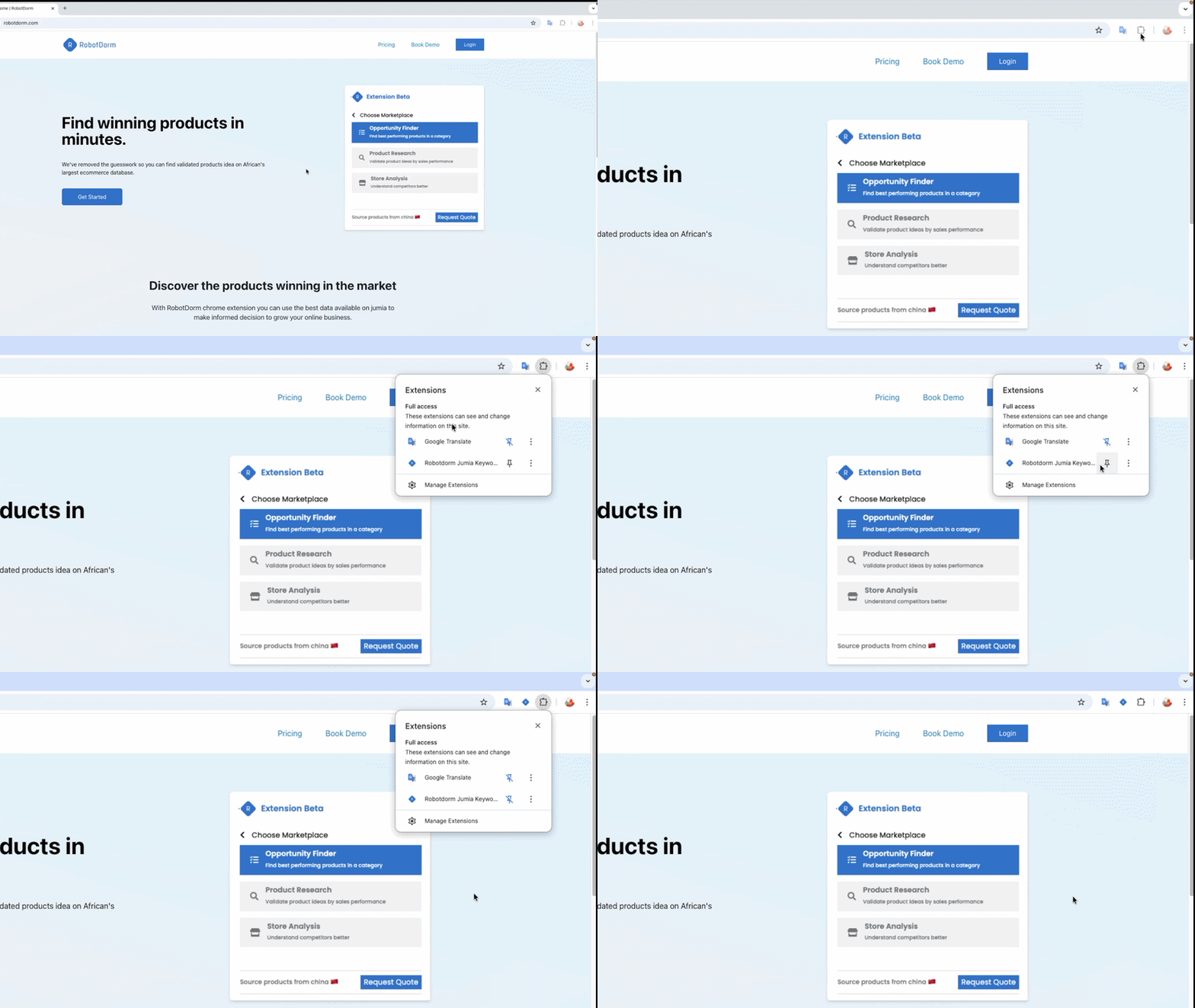
Step 1: Pin Extension For Easy Access
After installing the Chrome Extension and registering an account with RobotDorm, you should pin the RobotDorm Chrome extension for easy access when trying to perform product research in the future.
Step 2: Select Your Desired Marketplace
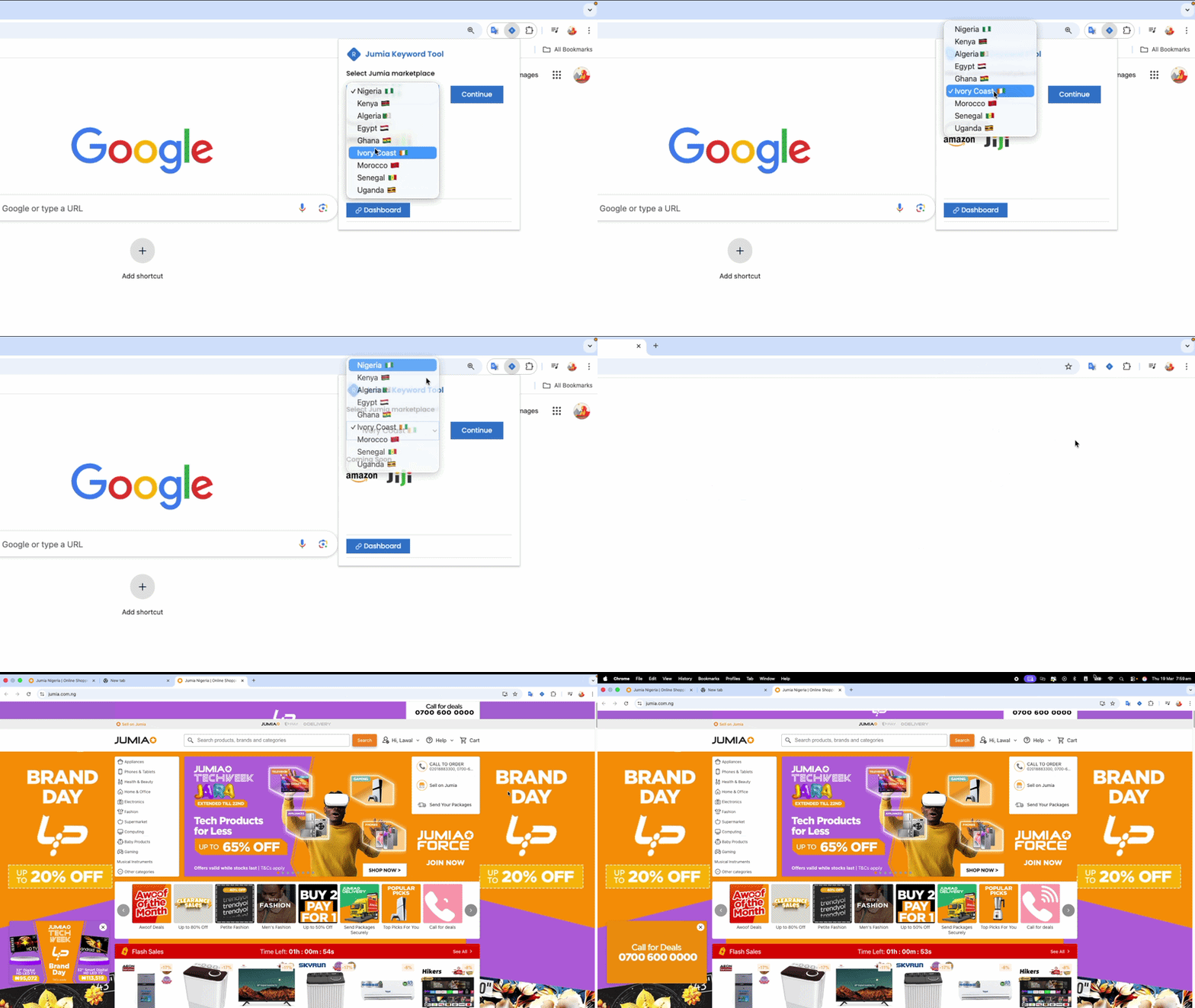
After creating a RobotDorm account, you should be able to select your desired country, which is the platform to which you look to find best-selling products. After choosing the country, you can proceed by pressing continue, which takes you to the Jumia website you selected.
If you're already on the website you intend to carry out your product research, you can skip this step.
Step 3: Search for products
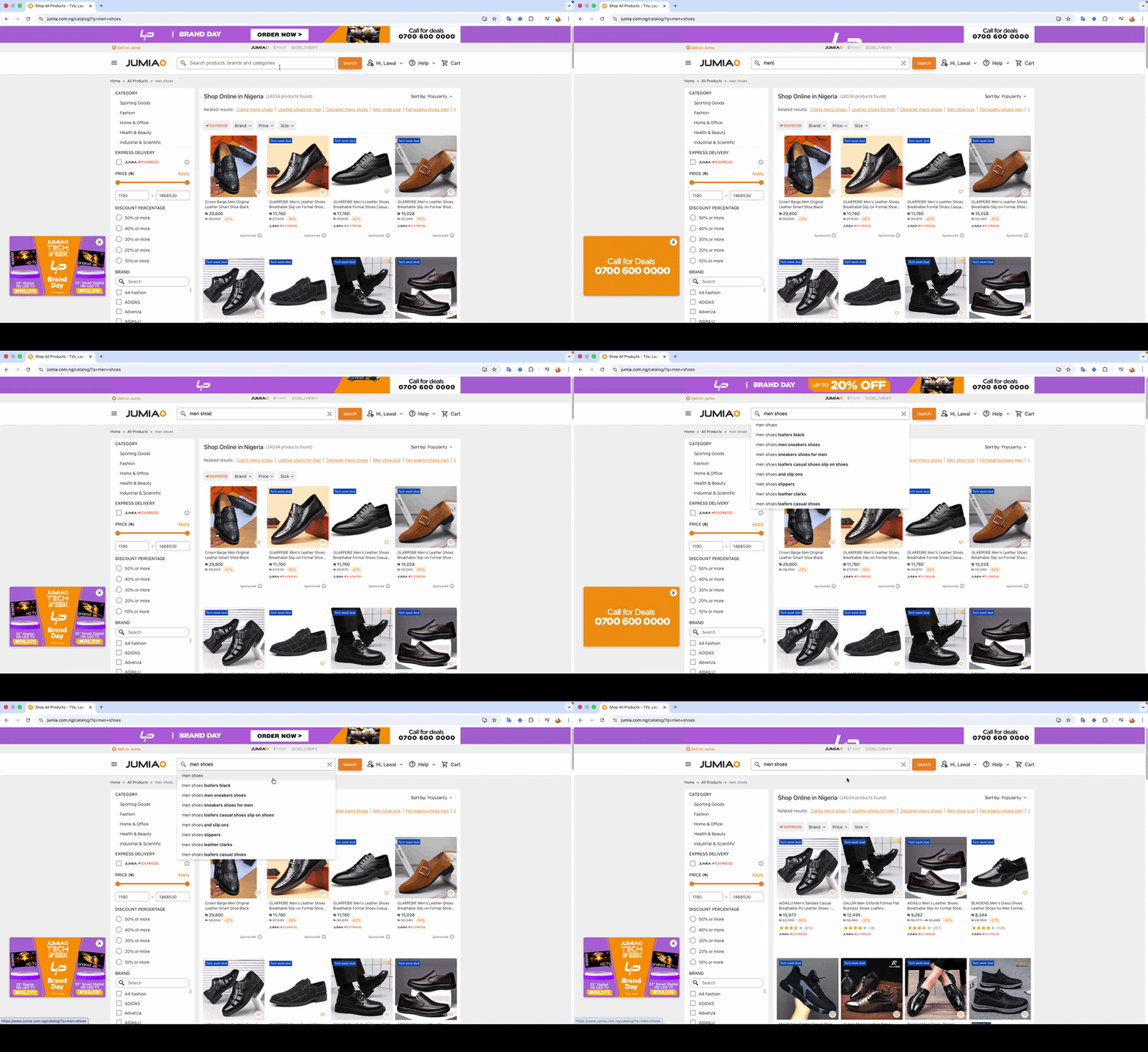
This step is all about using your desired keywords or keywords that relates to the products you desire to validate, for example if you're looking to validate market opportunities around "men sneakers", you can add the keyword to search bar just like a normal Jumia user will do.
After searching for the keyword and getting redirected to the product search page, RobotDorm chrome extension will start working in the background to gather best-selling products that have been sold in the last 90 days.
Step 4: Use RobotDorm Perform Product Research Feature
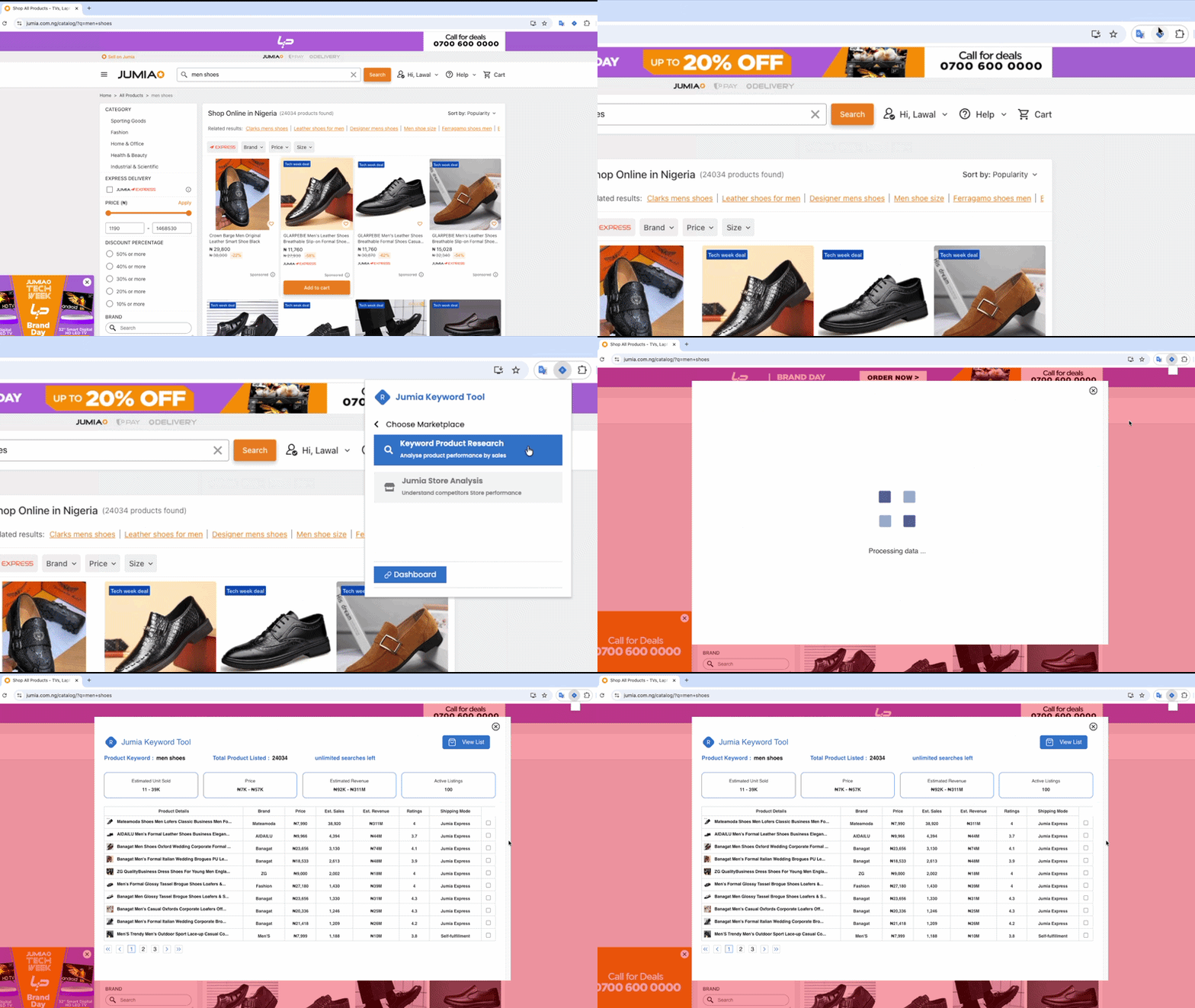
After getting redirected to the search page, you can open the Chrome extension to get the best-performing products in the last 90 days using the RobotDorm Product Research Button.
The Keyword Product Research button won't be available for clicking until RobotDorm finishes the product research process. Once the button stops blinking, that signals it's time to get the best-performing products based on the searched keywords.
On clicking the button, you will be presented with the metrics of the best-selling product, which will be further explained in the next step.
Step 5: Understanding the data
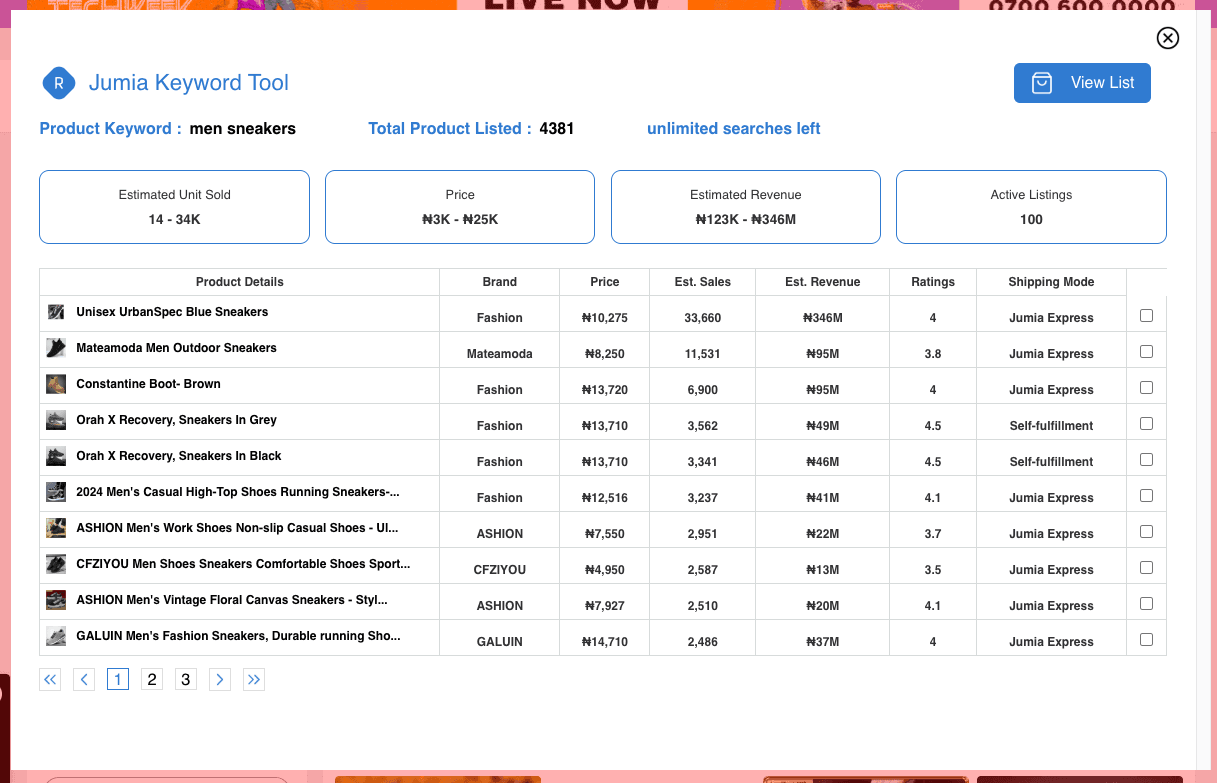
The data returned are ranked by estimated sales, presented in descending order. To view newly listed products on additional pages, click the pagination buttons to navigate through the results. Below is a short overview of the data points shown in the Robotdorm product research table.
Product Details: This shows a preview of the product, showing the product image and title. On clicking the column, you will be redirected to the product listing page on Jumia.
Brand: It signifies the brand associated with a listing, which differs from the seller who owns the listing. To better explain this, if company ABC LTD lists a Nike running sneaker, the product brand is Nike and the seller is ABC LTD. The brand data point is important to determine brands dominating the niche where the product lies, and it could be used to spot opportunities by looking at the ratio of generic to established brand listings.
Price: Price is the amount customers will pay to get the product in their hands. It is an important metric as it could be used to assess competitors' pricing strategies and potential profit opportunities. It could also be used to understand how much customers are willing to pay for a product.
Estimated Sales and Revenue: These columns showcase RobotDorm's proprietary dataset and logic built from a decade of selling on the Jumia marketplace. The estimated sales data point projects the number of products the listing has sold to customers without accounting for returns and delivery failures. While the estimated revenue datapoint multiplies the current listing by the estimated sales figure. These data points are important for new entrants to access potential revenue opportunities and the strength level of potential competitors.
Ratings: Ratings are data signals that reveal customer satisfaction and potential gaps in the market. When combined with estimated sales or customer feedback data, they could be used to access insights on customer demand and unlock potential opportunities to improve listings.
Shipping Mode: It is used to understand the shipping strategy employed by the product seller. At the moment, there are two major strategies employed by Jumia sellers, the first is leveraging Jumia's in-house warehousing capabilities or shipping using third-party companies / Dropping it off yourself approach. This data point is important to better understand how established a product listing is in the marketplace and it could be used to identify international seller when paired with the seller name ( the new column we are introducing in our next release).
Step 6: Save promising product
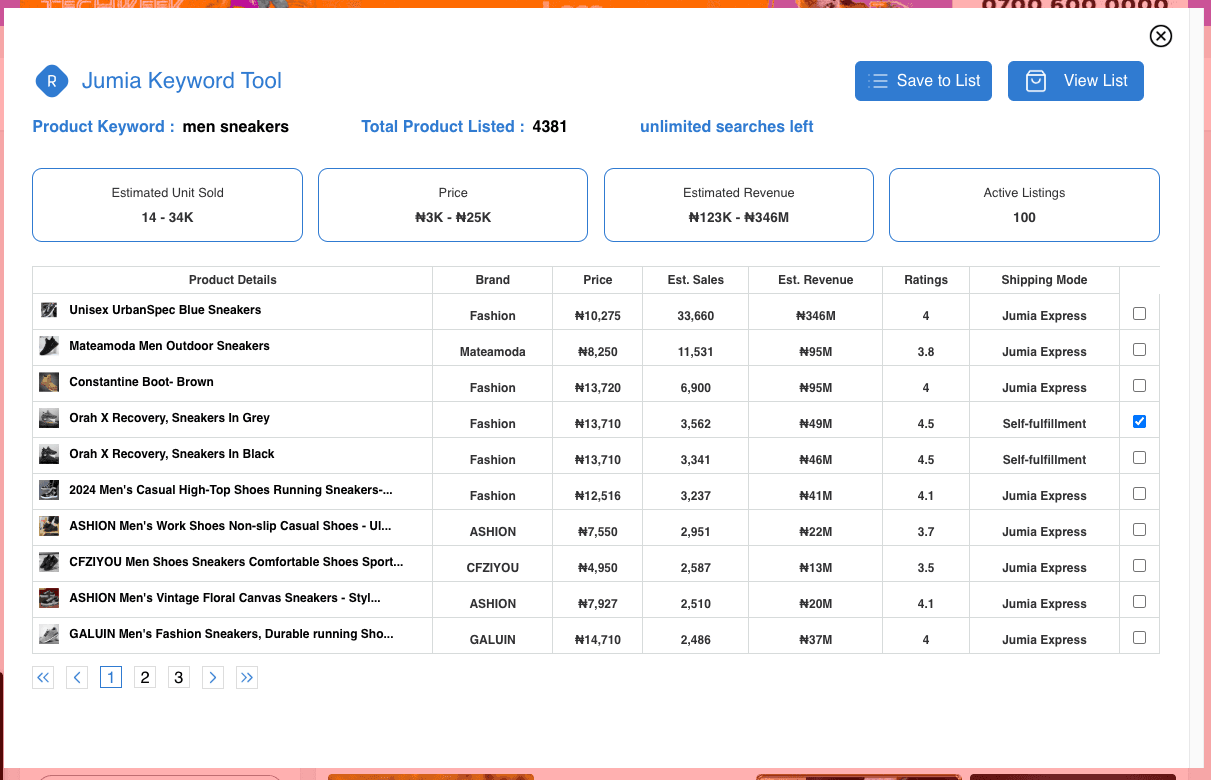
To save products for future reference, you need to select the product(s) that have been identified by clicking the checkbox to the right of the product row and clicking the "Save to List" Button.
After saving, you can verify your product(s) have been saved by clicking the "View List" Button.
Step 7: Product Watchlist + CSV download
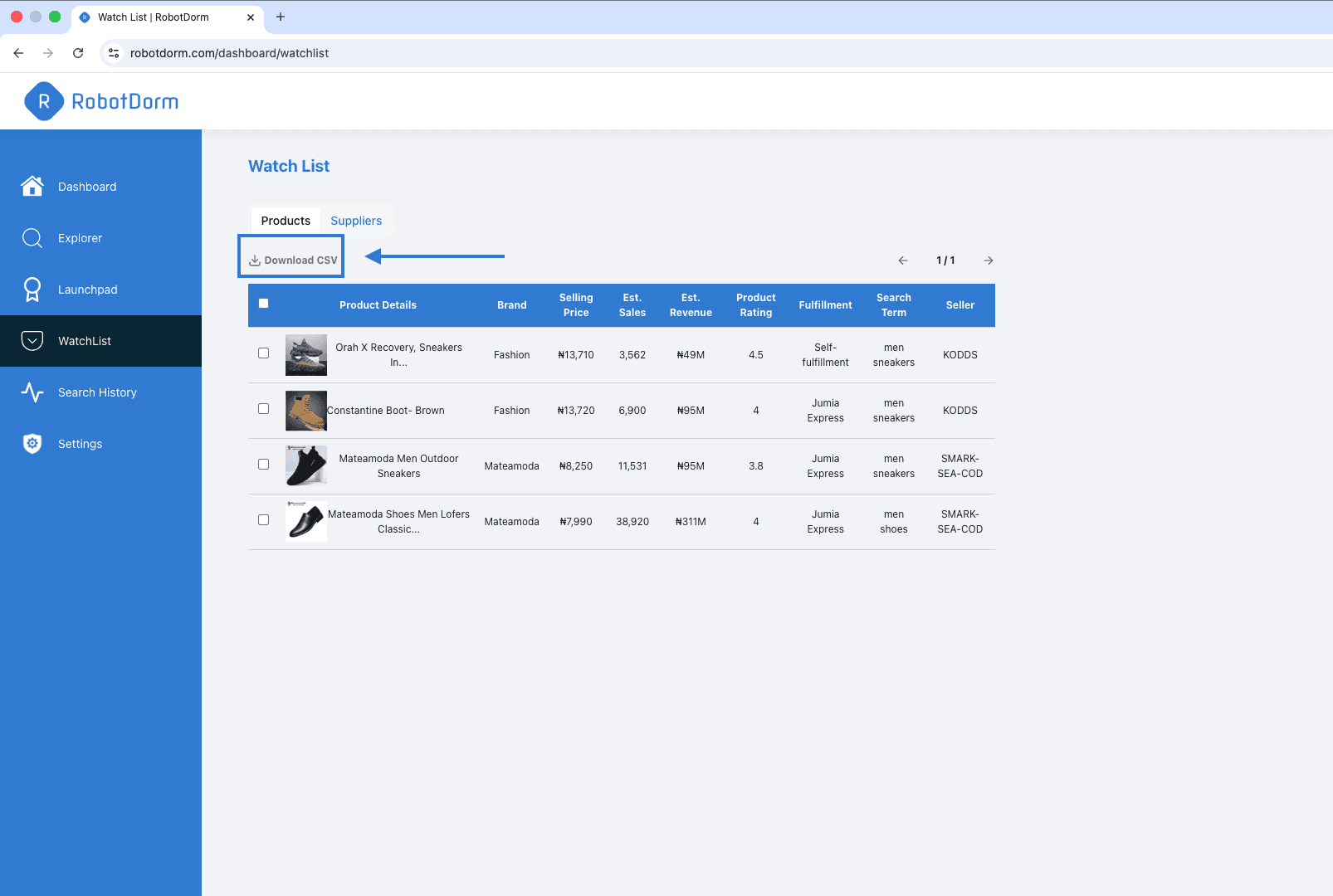
Product watchlist does not only provide you the ability to secure your promising products in safe place. You can also download product listing details as CSV files to share with your team and suppliers.
Rinse and Repeat
We understand product research is not a linear process, as it takes time, and it's a continuous activity of operating an e-commerce business. With the learnings of this guide, you will be able to carry out product research from time to time with the aim of finding best-selling products to grow your business. If you need further guidance on how to find best-selling products , you can reach out to our support team.