April 1, 2026What's new
RobotDorm Explorer: Best-selling products finder for Jumia Sellers
Discover product opportunities and find suppliers all in one place
Selling the wrong product is the foremost reason most e-commerce businesses fail, and most sellers get this wrong because they fail to answer this simple question: What products do customers want to buy?
Answering this crucial question will unlock many opportunities, and using data makes it easier than ever. At RobotDorm we provide the tools for African e-commerce entreprenuers to spot product opportunities, and our tools are trusted by thousands of high-growth e-commerce businesses around the continent.
This guide takes you through how to leverage RobotDorm's product explorer tool to find promising products backed with historical monthly sales data with direct access to verified Alibaba Suppliers you can source your product from, all in one place. At the end of this guide, you should be able to find promising products and suppliers you can work with to grow your e-commerce business. Before proceeding to the next section of this guide, it's important that you have registered an account with robotdorm and navigate to dashboard > explorer to follow this guide.
Select Search Criteria
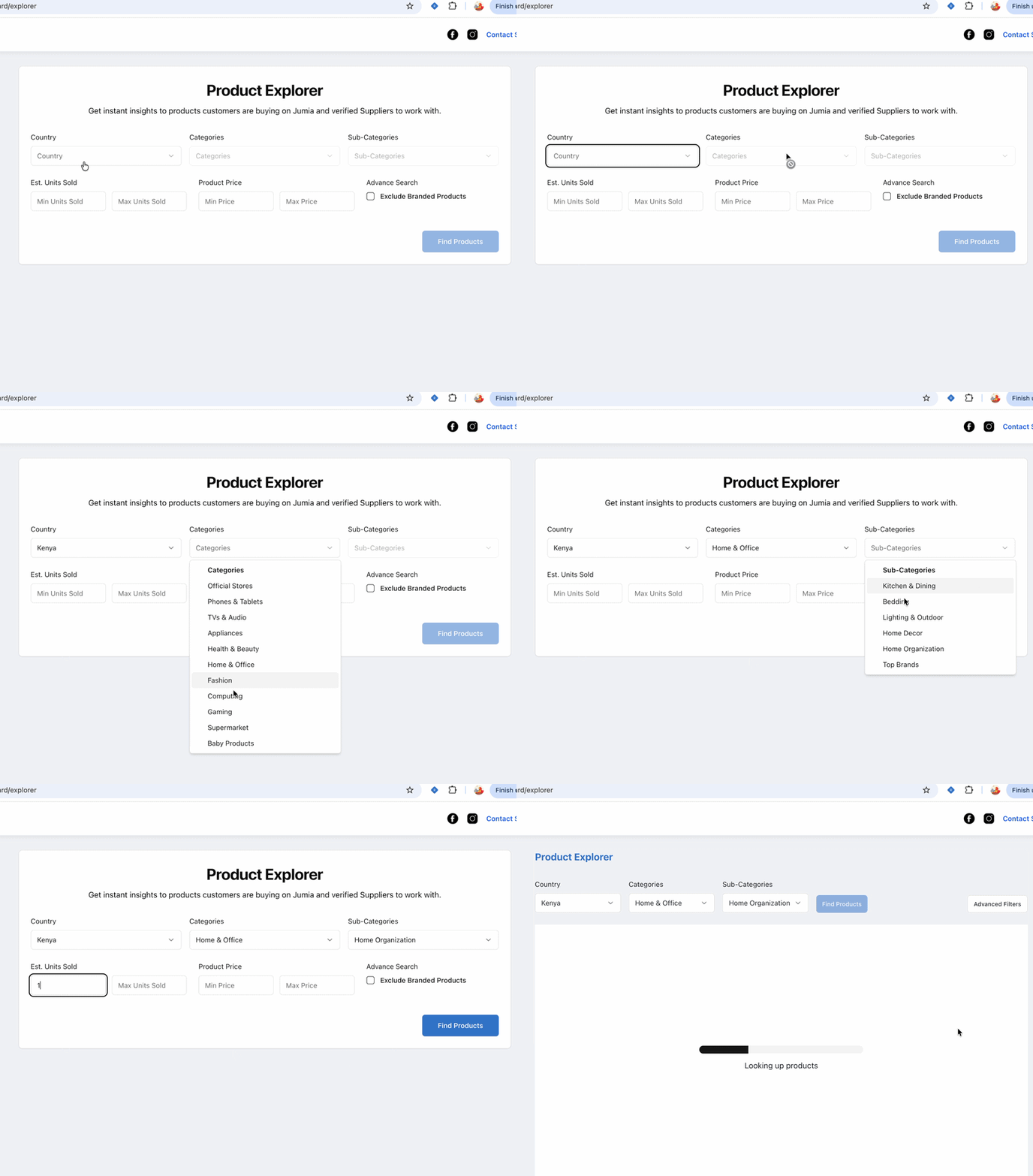
The first step to finding the best-selling product using RobotDorm Product Explorer is to select search criteria based on your target marketplace, categories, and sub-categories. You can also drill down to specific products by entering range values for the number of units sold and the corresponding product price.
If you want to exclude established products from your search, check the 'Exclude Branded Products' option to filter them out of your results.
Understand The Data
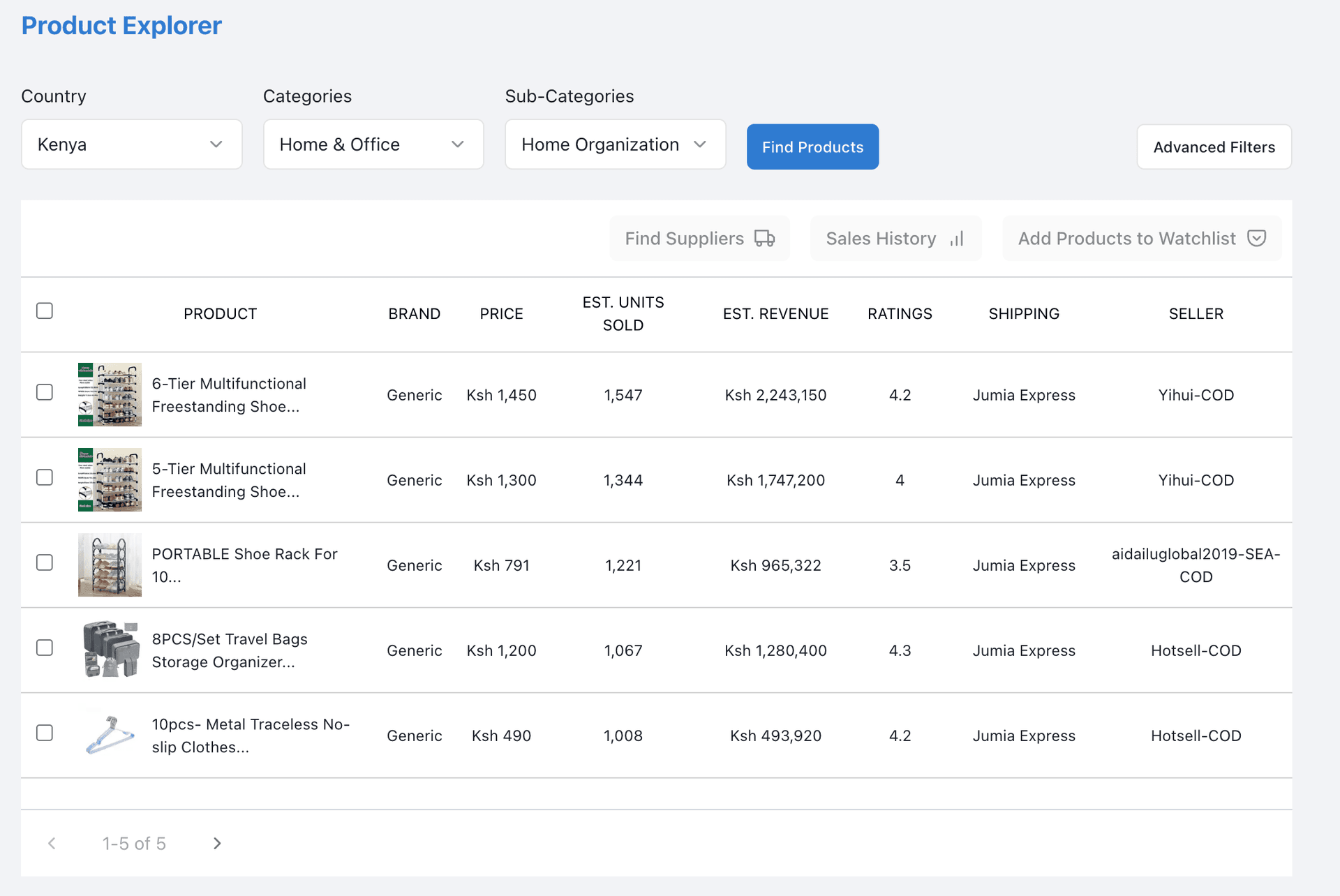
The data returned are ranked by estimated sales, presented in descending order. To view newly listed products on additional pages, click the pagination buttons to navigate through the results. Below is a short overview of the data points shown in the Robotdorm product explorer table.
Product Details: This shows a preview of the product, showing the product image and title. On clicking the column, you will be redirected to the product listing page on Jumia.
Brand: It signifies the brand associated with a listing, which differs from the seller who owns the listing. To better explain this, if company ABC LTD lists a Nike running sneaker, the product brand is Nike and the seller is ABC LTD.
Price: Price is the amount customers will pay to get the product in their hands. It is an important metric as it could be used to assess competitors' pricing strategies and potential profit opportunities. It could also be used to understand how much customers are willing to pay for a product.
Estimated Sales and Revenue: These columns showcase RobotDorm's proprietary dataset and logic built from a decade of selling on the Jumia marketplace. The estimated sales data point projects the number of products the listing has sold to customers without accounting for returns and delivery failures. While the estimated revenue datapoint multiplies the current listing by the estimated sales figure.
Ratings: Ratings are data signals that reveal customer satisfaction and potential gaps in the market. When combined with estimated sales or customer feedback data, they could be used to access insights on customer demand and unlock potential opportunities to improve listings.
Shipping Mode: It is used to understand the shipping strategy employed by the product seller. At the moment, there are two major strategies employed by Jumia sellers, the first is leveraging Jumia's in-house warehousing capabilities or shipping using third-party companies / Dropping it off yourself approach.
Seller: This datapoint showcase the seller or business who listed the product, the information is a link to the seller storefront which shows all the products have currently listed on the Jumia marketplace storefront.
Dive Deeper: Get Sales History
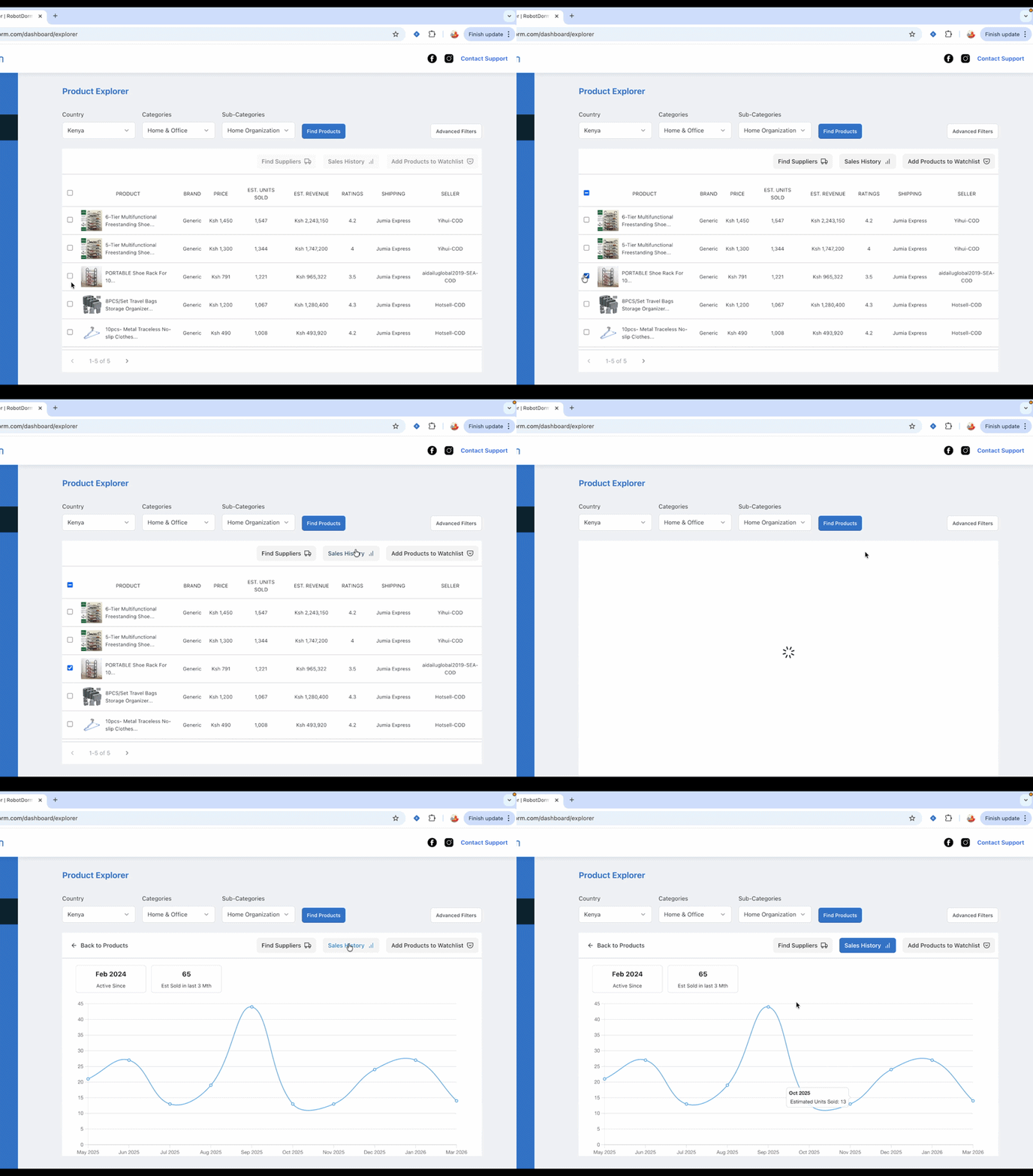
After identifying a promising product, you can further validate the product's viability by looking into the product sales history to see if it matches your revenue expectations. The sales insights feature shows you information which includes: when the product has been active on the Jumia marketplace, the estimated units sold in the last 90 days and the snapshot of the annual sales data to help you understand the revenue performance of the product .
Find Suppliers
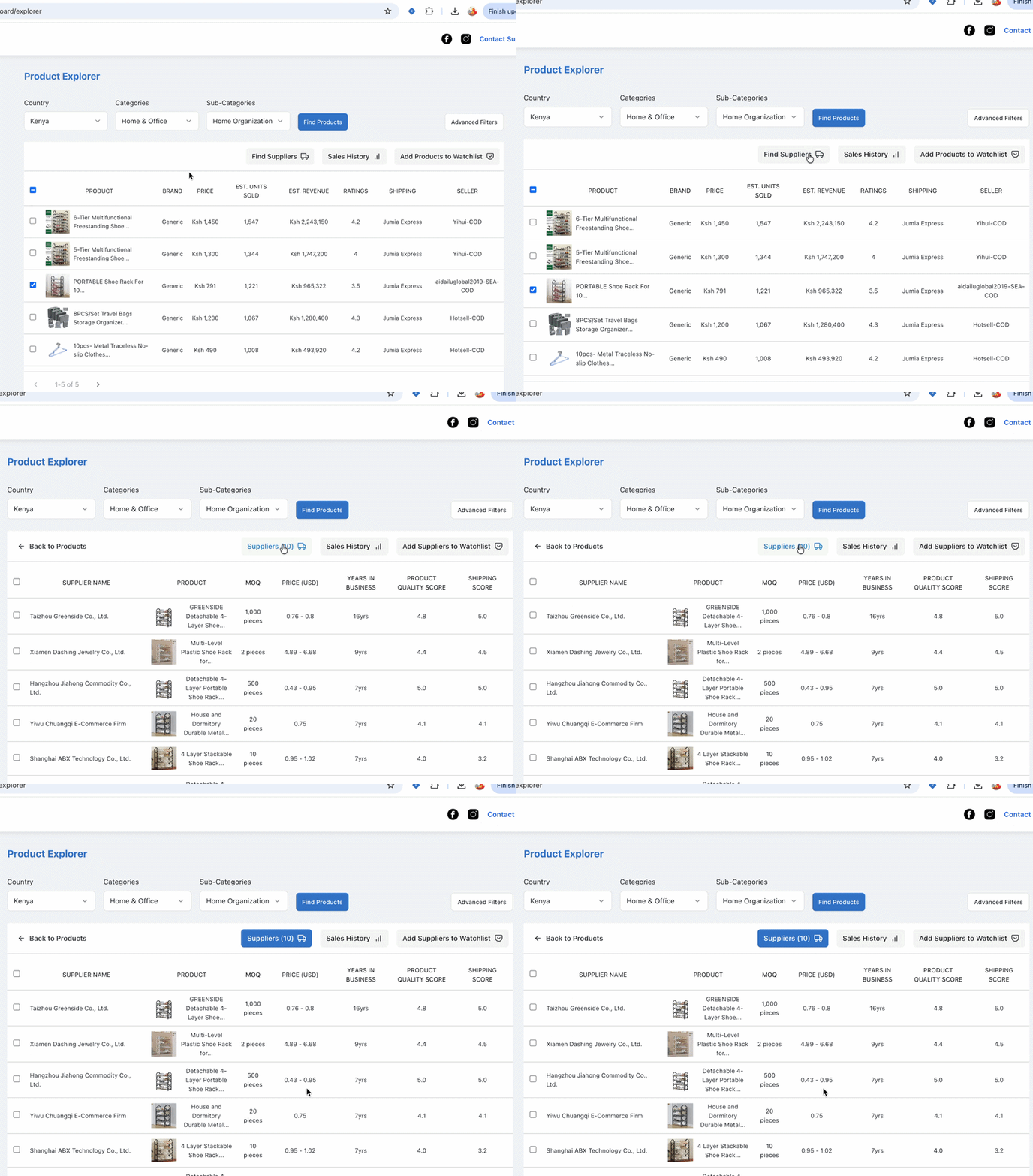
Now, you've identified the product you want to sell. The next recommended step is to find suppliers from whom you can source the product. This step is crucial in understanding the profitability of the product, having considered your shipping and landing costs.
Using the suppliers tab on Product Explorer, you can access a list of up to 20 suppliers on Alibaba for your product, each with a verified Pro status that confirms a thorough review of their factory and capacity.
Save Products and Suppliers
After identifying promising products, you can save them along with their suppliers to build a shortlist for easy comparison and future sourcing decisions. This helps you avoid repeating research and keeps all your validated options organised in one place. From the Explorer results, simply save any product you’re interested in, and its supplier details will be stored alongside it, allowing you to quickly revisit performance data, compare alternatives, and choose the most reliable supplier when you're ready to move forward.
Key Takeaways
RobotDorm Explorer helps you find winning products using real marketplace data, allowing you to identify demand, analyse competition, and validate opportunities through sales insights. Once you’ve selected a viable product, you can discover verified suppliers, assess profitability, and save both products and suppliers to organise your research in a clear, structured path to make informed decisions and grow your e-commerce business on Jumia.